One inbox for all your tools. Zero stress. Maximum focus.
You're not alone. Managing scattered notifications is killing your productivity and stealing your focus:

Every tool forces you into a different mindset.
Each notification system forces you to learn and remember different interaction patterns, fragmenting your mental focus.

Endlessly checking your inboxes, you spend more time hunting notifications than acting on them.
The feeling that you're missing something important never goes away.

Not all tools offer the same level of integration with your task management tool, making it challenging to consolidate and prioritize tasks across platforms.

Complete it in Linear? It's still pending in your task manager. Mark Github notification as done? Email notification still screams for attention. Nothing stays in sync.
Switching between inboxes creates a constant sense of anxiety as you struggle to keep up with notifications scattered everywhere.
The single source of truth for all your notifications.
One unified inbox. Complete control. Zero context switching.

Stop the constant tab-switching marathon. See all your notifications in one unified dashboard.
Act immediately or schedule for later.

Turn any notification into a task or synchronize tasks between your tools and your task management tool.
Universal Inbox connect a cohesive and powerful ecosystem.

Bidirectional synchronization ensures that every change made in your tools is reflected in Universal Inbox, and vice versa.
Keep your tasks and notifications aligned across platforms.

Focus on what matters. Smart filtering, snoozing, and priority management help you tackle important tasks first, not just urgent ones.
Get started in minutes and transform your workflow

Authorize Universal Inbox once per tool — new notifications flow in automatically, and you keep using GitHub, Linear, Slack and Gmail exactly the way you already do.
Universal Inbox currently supports:

Give each notification a verdict — delete, unsubscribe, or snooze — and keep moving without ever leaving Universal Inbox.

Some notifications deserve more than a verdict. Promote them straight into your task manager — Universal Inbox creates the task or attaches the notification to one you already track, then steps out of your way.
Universal Inbox currently supports Todoist and TickTick. More task management tools coming soon...

Status flows both ways. Close a Linear issue or tick off a task in Todoist, and Universal Inbox tidies up the matching notification — no stale entries, no double bookkeeping.
Universal Inbox currently supports:
Bring your own AI
Your assistant, working across every tool you live in, not trapped in the one that built it.
Notion AI only sees Notion. Linear AI only sees Linear. Whatever assistant you actually use stays stuck behind whichever vendor shipped it. Universal Inbox flips that: it gives your own AI one place to read, triage, and act on the notifications and tasks from all your connected tools at once, already deduplicated, prioritized, and tracked, so your agent doesn't have to wire up seven services and reconcile seven formats itself.
Connect once. Works everywhere your agent does.

Available in
Choose the plan that fits your workflow. Start free, upgrade when you need more power.
Perfect for getting started
Forever free
For power users and teams
$7/month outside the euro area
Taxes included, cancel anytime

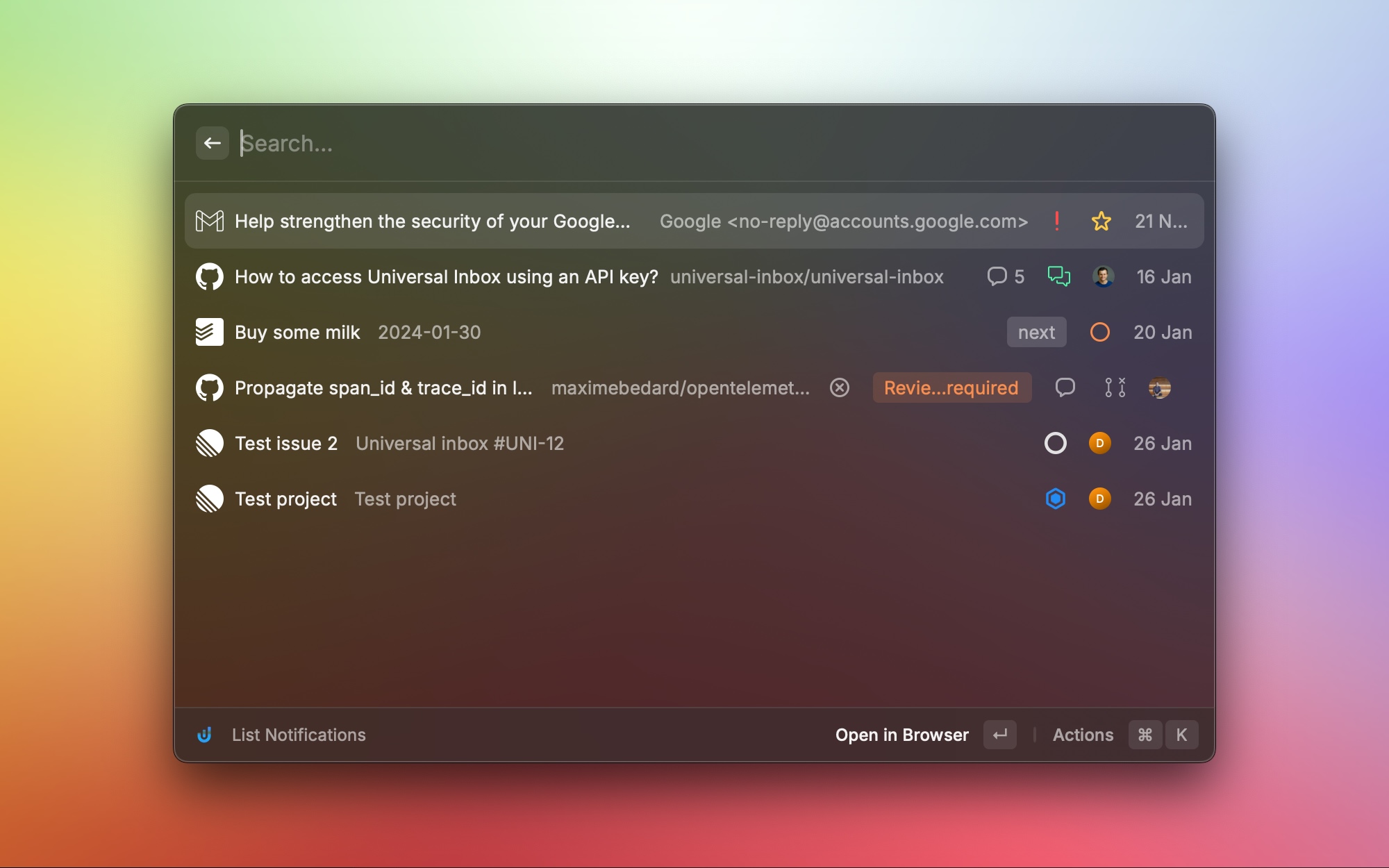
Take productivity to the next level with our native Raycast extension.
Join the growing community of digital workers who have already reclaimed their focus with Universal Inbox.
✨ Start focusing today Universal Inbox
